
Computer Software · 7 min read
The demo worked. How do we know the software is ready to launch?
Before launch, put the people who do the work in front of the new software and give them realistic cases. Here is how to write those cases, judge the results and decide who signs off.

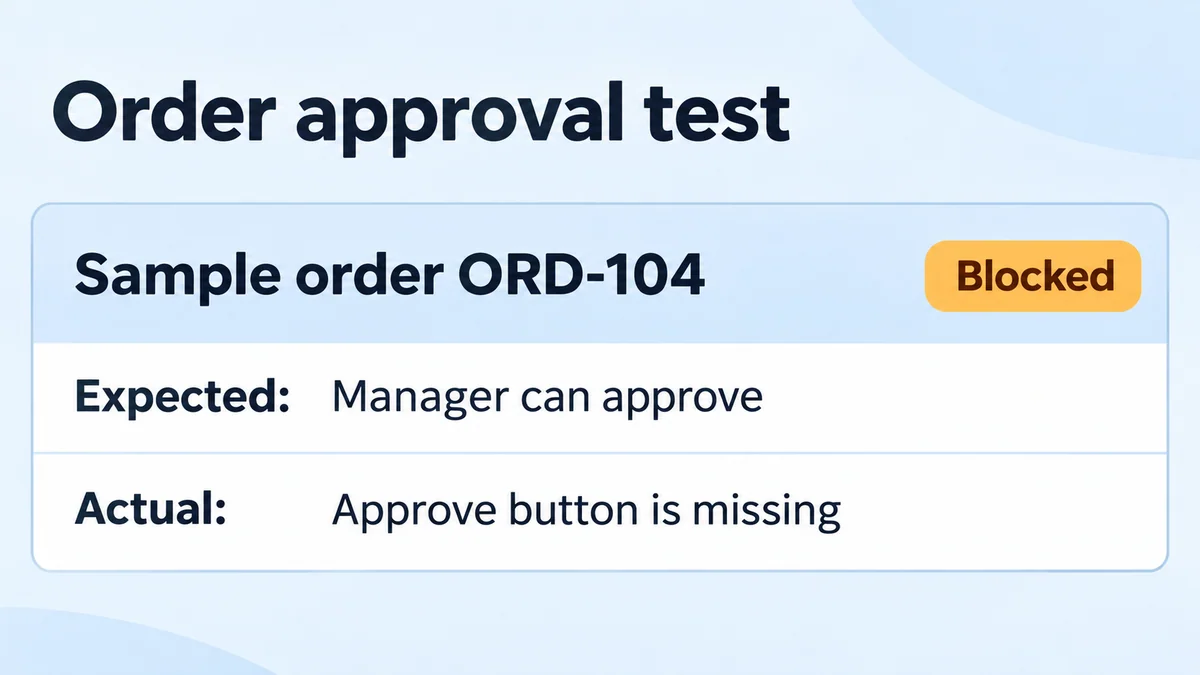
Have the people who do the work run the test
Have the people who will use the software run their real workflows in a test environment with realistic data. Write down the expected business outcome before each test, capture what actually happens, and give the owner of each workflow a say in whether it can go live. If staff cannot complete a critical task without the developer stepping in, find out what stopped them before you sign off.
Say your Dallas distribution business is replacing its order approval tool. In the demo, the developer opens a clean order and approves it under an administrator account. The approver on the early shift needs to handle an order with a pricing exception, send it back for correction and pick up the corrected version after lunch. The demo tells you the approval screen exists. The second run tells you whether the people who depend on it can get an order out the door.
That's user acceptance testing, or UAT. Microsoft's Dynamics 365 implementation guidance describes business users testing in a dedicated, integrated environment and stakeholders approving the solution before deployment. I use that distinction when we talk about quality engineering at Aezion. Our team can test whether the software follows its specification, but your operations lead can tell us whether following that specification leaves a truck waiting at the dock.
Start with the jobs that have to work on day one
Ask each department to finish this sentence: if we cannot do this in the new system, we have to stop work or use an approved fallback. Take the answers to the people who actually run those jobs. An operations manager may say the team must be able to release orders. The person entering orders may add that the team needs to split an order across shipments while keeping the original delivery promise visible. Those details give you useful test cases.
Write down the start and finish of each job. Order approval might begin when a representative submits an order and end when the warehouse sees a release with the right items and quantities. If the case ends at a green message on the sales screen, the receiving team could still see an empty queue. Ask the person who takes the next step to confirm what they actually receive.
Give the hardest cases their own space on the plan. For a Frisco business with more than one shift, I would ask a person who works the handoff to try taking over a pending order with their normal permissions. Include a routine case too, so the team can tell whether a failure is specific to a business exception or affects every order. If the order crosses systems, our guide to fixing mismatched data across departments can help you decide which reports to compare during that test.
Write a case a coworker can rerun without you
The expected result should be something a tester can see. Instead of saying the approval logic should work, say the order should appear as pending review, the representative should see who needs to act next, and the warehouse should receive nothing until approval. Then have the appropriate approver complete the next step and confirm exactly what appears in the warehouse queue.
Record the account role, software build, sample record and starting condition. Then record the sequence of actions, the expected result and the actual result. Microsoft's test planning guidance includes prerequisites, reproduction steps and expected outcomes, and asks teams to cover cases that should be refused as well as cases that should succeed. A developer can use that record to reproduce the issue even after the tester returns to their regular job.
Give one tester a sample order with an expired approval and another a corrected order that needs a fresh approval. If the receiving screen looks wrong, capture a screenshot using test data and include the record identifier. When a fix arrives, repeat the case with the same starting conditions, then rerun any nearby workflow the change might affect. If a change to approvals fixes expired orders but sends a corrected order to the wrong queue, the second test is what catches it.
Set up the environment before you invite the testers
Use an environment that reflects the planned release and can exercise its important integrations safely. Give testers the permissions they will use at work and tell them which services are connected to test endpoints. Agree on representative data with the people responsible for it. Synthetic orders can cover many scenarios, and a controlled, properly protected dataset may be needed to rehearse a migration that has exceptions the team cannot invent from scratch.
Keep the test from creating real customer notices, charges or warehouse instructions. Verify the destination with the integration owner before the first session. If testing has to stop because a sandbox has no shipping account or a data refresh wiped out the sample orders, mark the affected cases blocked and assign a person to make them runnable. A blocked test tells a release owner what is still unknown.
At Aezion, our quality engineering work covers application and integration testing. If your project has a release date and your team still has no place to run an order from intake through fulfillment, bring us the workflow and the list of systems it touches. We can start by discussing which parts your staff needs to see working together before they can make an informed decision.
Make the difference between a defect and a new request visible
Ask testers to record what happened while it is fresh and keep the discussion tied to the agreed outcome. If an authorized approver completes the review and the order never leaves the queue, that is a defect against the test case. If the approver asks to see a customer note that nobody included in the agreed design, that may be a new request. If the note contains information the approver needs to prevent a wrong shipment, treat the business impact seriously even if the requirement surfaced late.
Capture training gaps separately. A user who cannot find the approve button may need a clearer screen, a better instruction, or the correct account permission. Have another tester with the same role try without coaching. Watch where the two people get stuck. That gives you more to work with than a comment that says the app is confusing.
Before the first session, tell everyone how a release blocker will be judged. Ask whether the defect can lose data, stop an essential workflow, produce a financial error or expose information to the wrong role. A broken action with a tested, approved workaround may have a different impact from a screen that silently ships the wrong quantity. Set the decision criteria with the business owner before an approaching deadline puts pressure on them.
Give sign-off to the people who will own the outcome
The people running the cases should record the evidence. Have the designated owner for sales, operations, billing or any other affected process review the results for that area. Decide up front who makes the overall release decision and who can accept a known limitation. A project sponsor should be able to trace an approval back to the people and cases it covers.
Write down what the business is accepting. Name the build, the scope that was tested, the critical cases that passed and any open defects or blocked cases. Record who owns each temporary workaround, where staff can get help and what would trigger postponing the rollout. A simple shared record can carry all of that if the people involved keep it current.
Keep testing sign-off and the full launch decision connected. A business team might accept how approvals work while the deployment team still needs to rehearse the data cutover or confirm that the support staff can restore service. If you're preparing for the first weeks after release, our guide to custom software maintenance explains what to decide about support, ownership and the work that continues after go-live.
Use the proposal to check who is paying for testing
Put user acceptance testing in the proposal before the team commits to a launch date. Ask who prepares the environment, helps write the cases, fixes agreed defects and makes time for a repeat run. Ask your own operations manager to reserve staff time. People running billing, shipping or scheduling still have their regular work, and a plan that assumes they will test between meetings usually leaves the important cases until late.
Cost and time depend on the work being tested. A workflow contained in one application is easier to stage than an approval that crosses order entry, inventory and invoicing, with different permissions and sample data at each step. When comparing estimates, check whether they assume a working sandbox and prepared data or include building and maintaining both. For the broader budget, see our guide to what drives custom software costs.
Before hiring, ask each bidder to walk through a failed case with you. Who sees the result, who decides its severity, and who verifies the fix? If the answer leaves the business with unclear responsibilities, write those into the scope while you can still compare proposals. Our questions for a software development company cover other ownership and delivery questions worth settling at the same time.
Bring the workflow you would be nervous to turn on
If you want help getting ready for acceptance testing, tell me about one job people must be able to finish on launch day. Include who does it, where their work goes next and what happened the last time an exception held up the process. A blank test case or a sanitized example is enough for a first conversation. We can discuss whether the cases, data and environment you already have will let your staff make the release decision.
We can also talk through the distinction between testing a solution that is nearly ready and defining what a new build has to do. For either stage, you want a clear answer to the same question: what will the person doing the work need to see to say the software is ready?
Questions people ask me
Can the development team run user acceptance testing for us?
A development team can prepare the environment, run technical tests, help write cases and fix defects. Ask the people who will use the application to execute the business cases, then have an authorized business owner review what happened before accepting the release.
What do we do if a critical test is blocked?
Record what the tester could not verify and assign someone to clear the obstacle. If the case covers a workflow you need on day one, put the gap in front of the release owner and rerun the test before treating that workflow as ready.
Is a spreadsheet enough to document acceptance tests?
A spreadsheet can work if everyone can find the case, the build, the tester, the expected and actual results, the evidence and the decision. A larger team may prefer a test management tool so fixes and repeat runs stay linked to the original case.
Do we have to use real customer data in acceptance testing?
Use realistic examples that cover the conditions you need to test and start with synthetic data where it will do the job. If representative migrated data is essential, agree on access, handling and the test environment with the people responsible for that data.
Sources
Keep reading
More from Brandon
- A dedicated offshore team or a fixed software project: which fits the work you have?
- Company data in ChatGPT or a private AI setup: how to decide what goes where
- Who owns the source code when you hire a company to build custom software?
- When a CRM-to-ERP retry creates a second order, what should you fix?
Running a business
- Business Consultant · Armando
- Business Broker · Michael
- Franchise Consultant · Avinash
- Recruiting and Staffing Services · Chase
- Information Technology · Anthony
- Business Phone & Telecom · Beau


